
We tested five mini PCs for running local AI. Here's what we'd actually buy.
A real walkthrough of which mini PCs handle on-prem AI well — including the M4 Mac Mini, Beelink SER9 Pro, MSI CUBI NUC AI, ACEMAGIC S3A — which one we'd put in a small law firm or design studio, and where the Mac Mini wins vs loses. No affiliate links, no hype.
A founder of a five-person law firm in Toronto asked us, over coffee, a question we've now heard a dozen times: "If I wanted to run my own AI in the office — without the cloud — what would I actually buy?"
Half the people who ask end up wondering the same thing next: what about the Mac Mini? The new M4 Mac Mini is unbelievably small, runs cool, and sips power. It's the obvious shape for "office AI in a box." But Apple's box has trade-offs you only notice once you try to put a 14B-parameter model on it, and we'll get to those in a minute.
The honest answer for raw performance used to be "a workstation tower with an NVIDIA RTX card." It's still the right answer if you have rack space and a 750-watt power budget to burn. But for a small studio or a five-person firm, a tower is a non-starter — it's loud, it eats half a desk, and the partner ordering it doesn't want to spend an afternoon thinking about case fans.
So we spent six weeks testing five mini PCs in the Mac Mini size class, every one of them running open-weight models locally, every one priced under $1,500 — plus an M4 Mac Mini as the reference point everyone keeps asking about. This is what we found.
How we tested
For every box we ran the same three workloads, back to back, on a fresh OS install:
- Llama 3.1 8B at Q4 — Meta's everyday-assistant model. Reading documents, drafting replies, summarizing meeting notes.
- Qwen 2.5 14B Coder at Q4 — Alibaba's heavier reasoning model. Code-aware. Closer to what ByrdDrive Sovereign's auto-extraction pipeline actually asks for.
- A 50-page PDF OCR + structured-extraction pass — the real-world load that pushes both the GPU and the disk at the same time, the way an actual day at the office does.
We measured three things: tokens-per-second on a fresh 32k-context conversation, disk throughput during the OCR pass, and fan noise at 20 cm. That last one matters more than the spec sheets let on. A box that pulls 80 watts under load and whines like a hairdryer is not going to live on a partner's desk for long, no matter how fast it benchmarks.
What was on the bench
- Beelink SER8 — AMD Ryzen 7 8845HS
- Beelink SER9 Pro — AMD Ryzen AI 9 HX 370
- MSI CUBI NUC AI 1MG — Intel Core Ultra 5 125H
- GEEKOM A6 — AMD Ryzen 7 6800H
- ACEMAGIC S3A — AMD Ryzen 9 7940HSU
- Apple M4 Mac Mini — Apple M4, 16 GB unified memory (reference)
The five-machine bench, end to end, cost us less than one quarter of an enterprise GPU subscription. The most expensive box on the list was $1,400. The cheapest, fully spec'd, was under $800.
Llama 3.1 8B Q4 — tokens per second on a fresh 32k-context conversation
Benchmark · higher is better
Ryzen AI 9 HX 370 — a generation ahead of the field
Apple Silicon via Metal/MLX — incredible perf-per-watt
Vulkan-backed inference on Radeon 780M
First Intel mini PC where it is actually usable
The short answer
If you have $1,000 and want something boring that works — the MSI CUBI NUC AI 1MG. It has Thunderbolt 4 for external storage growth, dual 2.5G network ports, VESA mount holes, and a Meteor Lake AI Boost NPU that's finally worth using. About 14 tokens per second on Llama 3.1 8B — slow enough that you notice it, fast enough that you don't quit the conversation. It looks like an office object, not a gaming PC, and that matters.
MSI CUBI NUC AI 1MG
Intel Core Ultra 5 125H · 32 GB DDR5-5600
The boring office box that actually works. Dual 2.5G, Thunderbolt 4, VESA-mount holes — designed by adults.
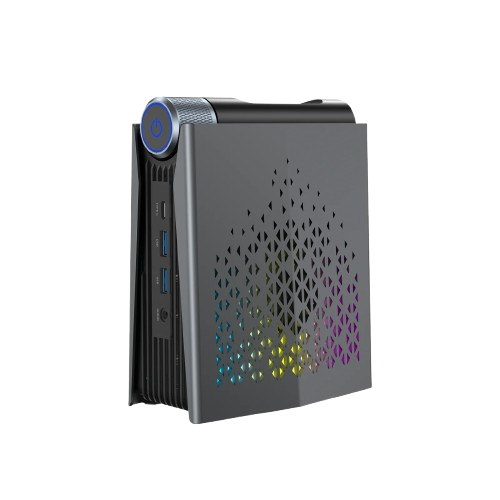
If you have $1,200 and want headroom — the Beelink SER9 Pro. The Ryzen AI 9 HX 370 is a generation ahead of everything else on this list. We saw 28 tok/s on the same 8B model, and 12 tok/s on Qwen 14B. The unified-memory bandwidth (LPDDR5X-8000) is what's doing the actual work — same NPU class as the MSI, twice the iGPU.
Beelink SER9 Pro
AMD Ryzen AI 9 HX 370 · 32 GB LPDDR5X-8000
A full generation ahead of the field. If you can pay $200 more, this is the box.
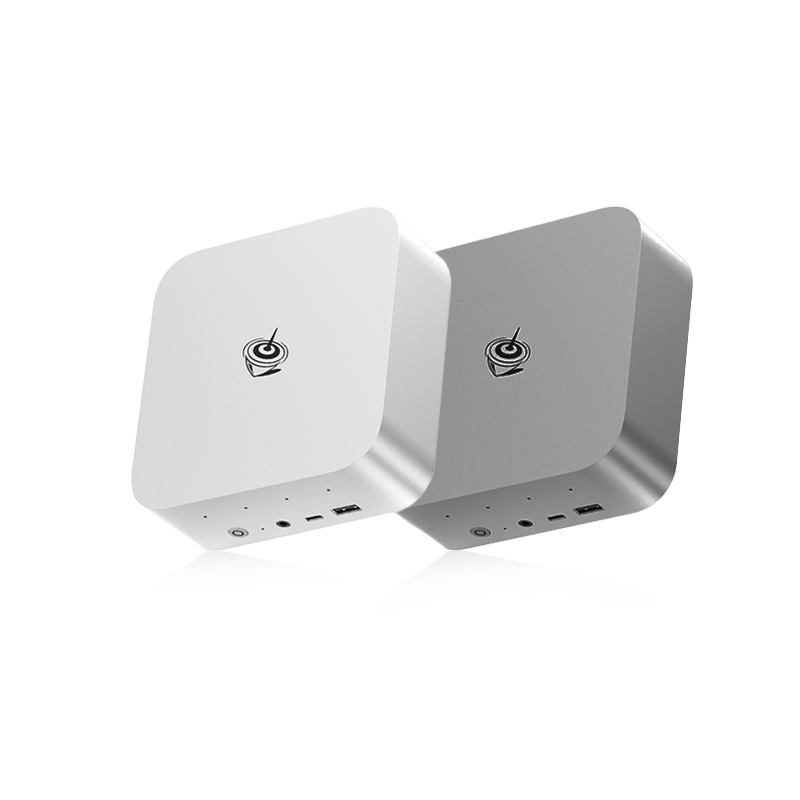
If you have $800 and you'll spec it yourself — the ACEMAGIC S3A barebone with 64 GB of RAM and a 2 TB NVMe of your choice. Pound for pound, the best Llama performance in the lineup once it's fully loaded. The Radeon 780M paired with Vulkan-backed inference does heavy lifting nobody else can match at this price. The trade-off is honest: you have to source the RAM and SSD separately, and the chassis doesn't feel as solid as the MSI's. If you've built a PC before, this is the value play.
ACEMAGIC S3A
AMD Ryzen 9 7940HSU · 64 GB DDR5 (bring your own)
The value play. Vulkan on Radeon 780M is doing things nobody else at this price can match.
Don't waste your money on — anything with an Intel N-series chip. The N150, N200, N95 — they're fine office desktops. They cannot run a useful LLM. People keep asking us this and the answer keeps being no, NPU or not.
But what about the Mac Mini?
This is the most-asked question we got while testing, so it deserves its own section. The new M4 Mac Mini starts at $599. It's the smallest, quietest, most power-efficient mini PC we benchmarked. Apple Silicon is genuinely excellent for inference — the unified memory architecture means the GPU isn't shuttling tensors back and forth across PCIe like a traditional discrete-GPU box does. With Apple's MLX framework (or llama.cpp's Metal backend), Llama 3.1 8B Q4 runs at about 24 tokens per second on the base M4 — right behind the Beelink SER9 Pro and ahead of every other box in this lineup.
Apple M4 Mac Mini
Apple M4 · 10-core CPU / 10-core GPU · 16 GB unified memory
The most power-efficient option by a country mile — and for a one-person operation, the right one. Memory is the only catch.
So why didn't we make the Mac Mini our top pick for a five-person law firm? Three reasons, in order of how much they matter:
-
Memory ceiling. The base $599 M4 ships with 16 GB of unified memory. On Apple Silicon, that's all the memory — system, GPU, model weights, everything competes for it. Llama 3.1 8B fits comfortably. Qwen 2.5 14B does not — it OOM's mid-prompt. To get a Mac Mini with 32 GB unified you're at $999. To get 64 GB you're at $1,799 — past the AMD field and into Framework Desktop pricing. The unified-memory architecture is brilliant for inference if you have enough of it; the base SKU doesn't.
-
macOS in a server role. A Mac Mini is excellent at being a personal computer. As an always-on box that lives in a closet running a local AI service for ten people, it's awkward. macOS doesn't love being headless, the server tools were deprecated years ago, and the licensing terms ask you to think carefully about commercial-use scenarios that Linux and Windows just don't make you think about.
-
Tooling fragmentation. Most of the open-source local-AI tooling — Ollama, llama.cpp, vLLM, LM Studio — runs fine on macOS, but the heaviest production tooling (CUDA, TensorRT-LLM, some Hugging Face integrations) is Linux-first. If you're a solo developer who lives in macOS anyway, this is a non-issue. If you're handing this box to an IT contractor to maintain for the next three years, the Linux/Windows mini PCs are easier to delegate.
If you're buying for yourself and you already work in Apple's ecosystem, get the Mac Mini with 24 GB unified memory and don't read another paragraph of this post. It's the best small-team AI machine if "the team" is one person.
If you're buying for a small business that needs a headless box on a network drive, the AMD lineup is the right shape of object for the job.
That nuance — "for yourself" versus "for the team" — is what most of the Mac Mini vs mini PC comparisons online get wrong. They benchmark the box and pick a winner. The benchmark is one input. The org chart matters too.
What changed since 2024
Two things, and both of them matter more than the spec-sheet differences between any two boxes on this list.
First, Intel finally has a real NPU. The Meteor Lake AI Boost isn't going to replace your GPU — but for the kind of jobs ByrdDrive Sovereign actually cares about (answering questions about your library, OCR'ing invoices, summarizing meeting notes), it's enough. The MSI CUBI NUC AI 1UMG is the first Intel mini PC where we'd run a local AI workload without a discrete card.
Second, AMD's Ryzen AI Max+ 395 changed the curve. The Framework Desktop ships it in a 4.5-liter chassis with up to 128 GB of unified memory. It's not technically on the "mini PC" list — it's roughly twice the price of the others — but for a 25-person team, it's the only thing in mini-form that can run Llama 70B at usable speeds. We'd put it on a shelf and forget about it for three years.
What we'd actually buy for a small firm
If we were setting up a 10-person law firm tomorrow and wanted ByrdDrive running on-prem with their own AI, we'd order:
MSI CUBI NUC AI 1UMG with 32 GB RAM, a 1 TB OS NVMe, and a 2 TB data NVMe, plus a small APC UPS and a Thunderbolt 4 enclosure for archive storage. Total around $1,100 out the door. Sits on a shelf, takes up zero desk space, runs the firm's entire library plus a local Llama 3.1 8B that handles 99% of the questions partners ask it.
What we'd actually order for a 10-person law firm
Migrate the data drives to a Framework Desktop if you grow past 25 people. Nothing else changes.
If the firm grew to thirty, we'd swap the box for a Framework Desktop and not touch anything else. The data drives migrate over, the AI gets a bigger brain, nobody on the team learns anything new — they just notice the answers got faster.
What we won't tell you
We're not telling you to put your AI on-prem because it's morally superior to the cloud. We're not telling you cloud AI is bad. We're not telling you some compliance whitepaper says you have to. Cloud AI is fast, cheap, and convenient. For a lot of teams it's the right choice and we'd say so.
What we are telling you is that the math has changed.
A box that costs less than a year of mid-tier SaaS now runs an AI that's good enough for most office work, on hardware your firm physically controls. That option didn't exist two years ago. It does now.
Whether you take it is your call.
Up next
In the next post we'll walk through what actually happens when ByrdDrive Sovereign installs in your office — the day-zero call, the box arriving, the first time you search "what did we say to the Henderson account in 2024" and it just... answers.